Beta with a timestamp
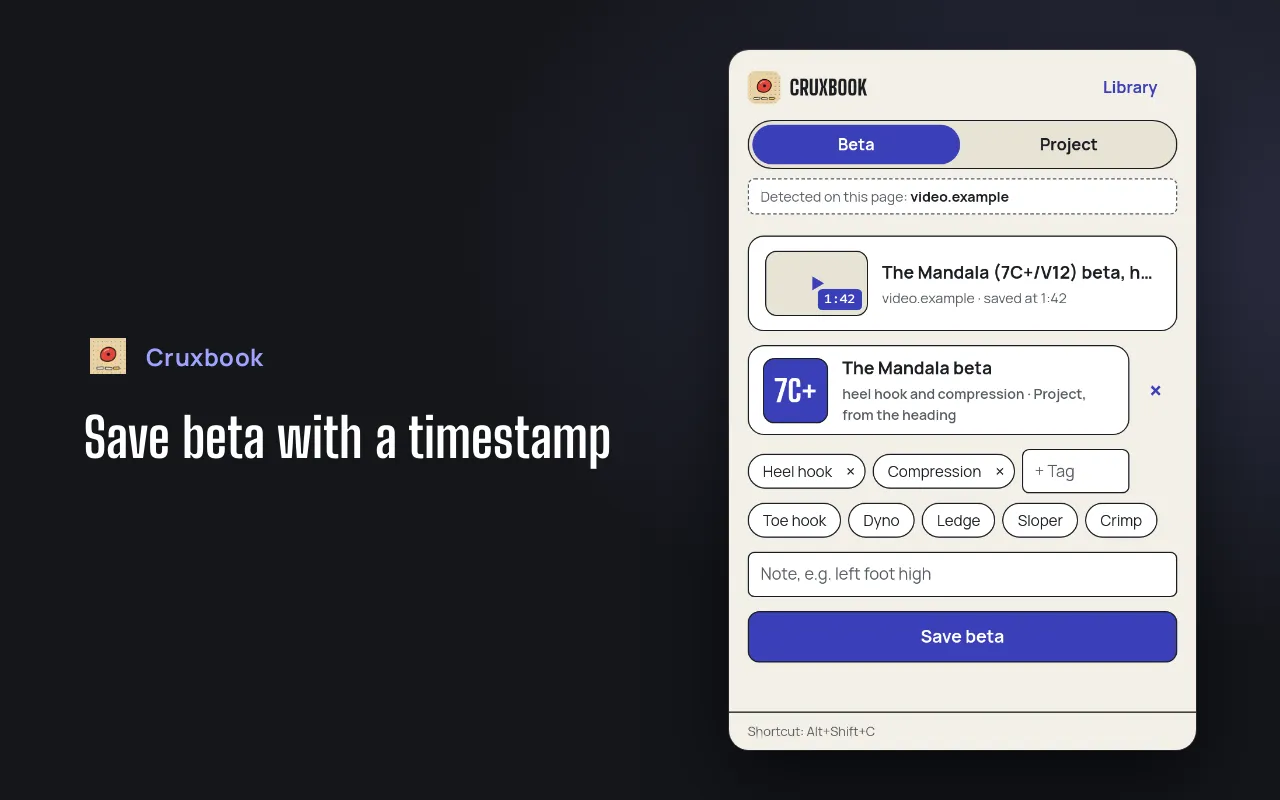
Save videos at the right moment or articles, with technique tags like heel hook or compression and a note.
Browser extension
You see a video or article about your project. One click and the beta is yours, with a timestamp and technique tags.
Free. Works without an account.
What it does
Save videos at the right moment or articles, with technique tags like heel hook or compression and a note.
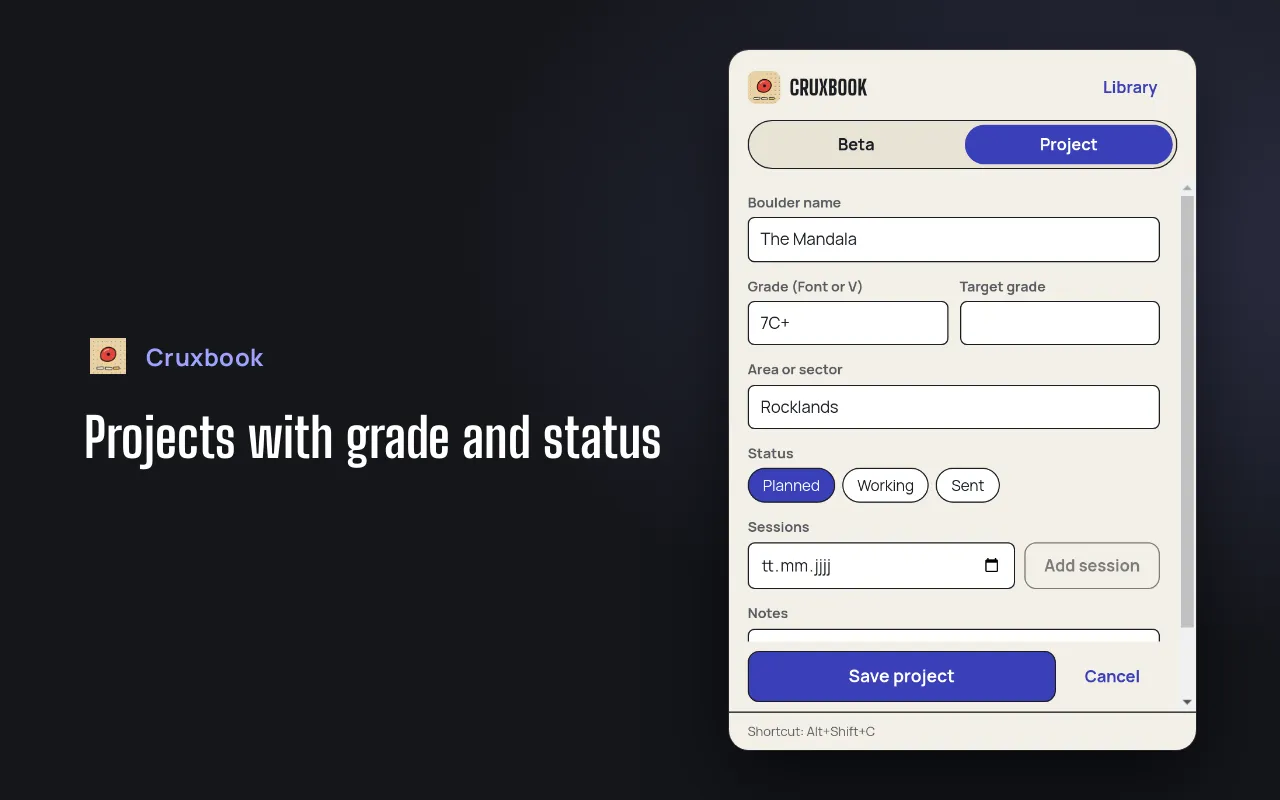
Name, grade (Font or V), area, status and sessions. A suggestion is detected from the page, for example "The Mandala (7C+/V12)".
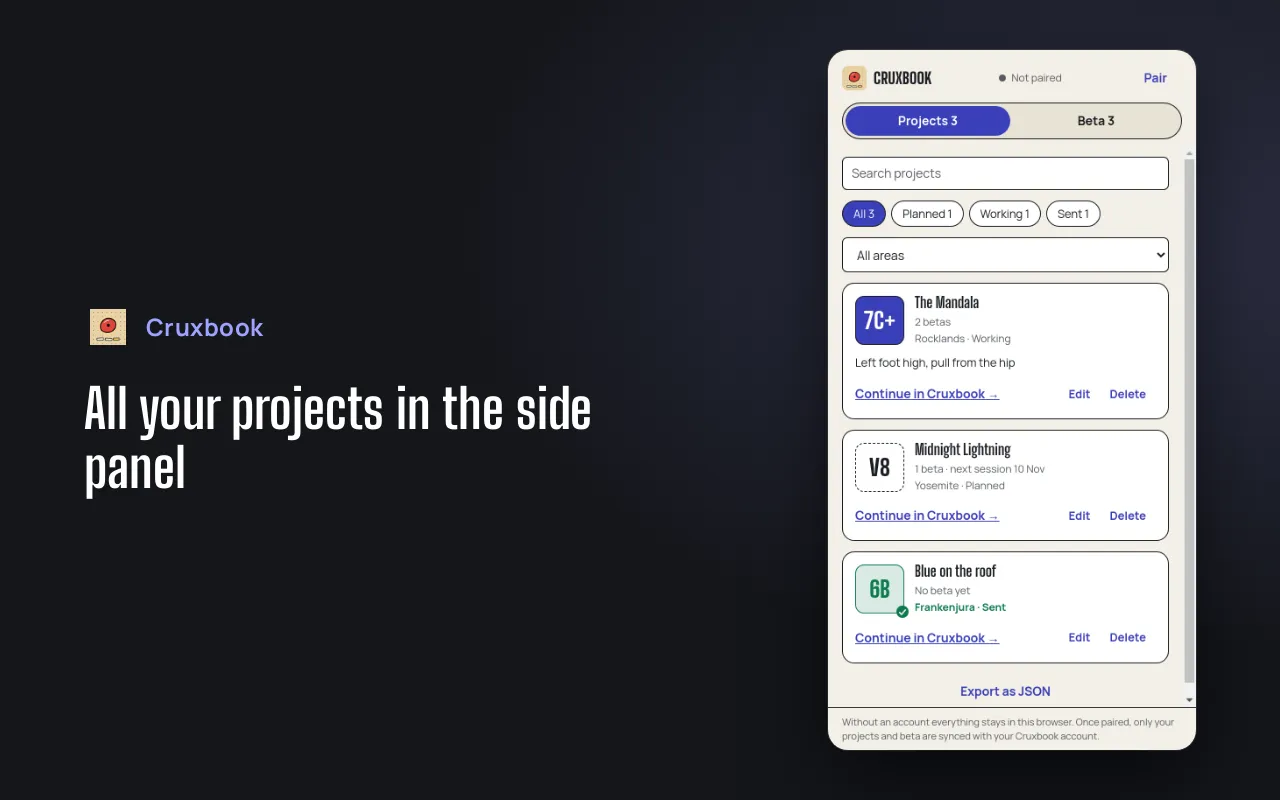
Search, filters, delete with undo and JSON export. With a Cruxbook account everything syncs, without one everything stays in the browser.
How it works
Add the extension from the store of your browser.
Open the extensions menu of your browser and pin Cruxbook Beta Collector, so the icon is always at hand.
Open a video or article, click the icon, add tags and a note and save. The shortcut is Alt+Shift+C.
Privacy
The extension does not watch you browse.
A page is read when you click the icon or a context menu entry. Never before, never in the background.
Without an account your projects and beta stay in your browser.
Until you pair it, the extension sends nothing to anyone. After pairing it talks only to cruxbook.app. No ads, no sale of data.
Optional
Open Pair in the extension and confirm the code on cruxbook.app. From then on your projects and beta sync, so Cruxbook and the extension show the same data.
Questions
No. The extension is free, and the account is optional.
Chrome and Firefox.
No. It reads a page only after your click, and only what you save.
No. Without an account everything stays in your browser. With an account your projects and beta also show up in Cruxbook.